Video of the Day

Mostrando entradas con la etiqueta apple. Mostrar todas las entradas

domingo, 25 de agosto de 2019

0

Practical Mobile Forensics: A hands-on guide to mastering mobile forensics

Practical Mobile Forensics: A hands-on guide to mastering mobile forensics for the iOS, Android, and the Windows Phone platforms


The exponential growth in smartphones has revolutionized several aspects of our lives. Smartphones are one of the most quickly adopted consumer technologies in recent history. Despite their small size, smartphones are capable of performing many tasks, such as sending private messages and confidential emails, taking photos and videos, making online purchases, viewing sensitive information such as medical records and salary slips, completing banking transactions, accessing social networking sites, and managing business tasks. Hence, a mobile device is now a huge repository of sensitive data, which could provide a wealth of information about its owner. This has in turn led to the evolution of mobile device forensics, a branch of digital forensics, which deals with retrieving data from a mobile device. Today, there is a huge demand for specialized forensic experts, especially given the fact that the data retrieved from a mobile device is court-admissible. Mobile forensics is all about using scientific methodologies to recover data stored within a mobile phone for legal purposes. Unlike traditional computer forensics, mobile forensics has limitations in obtaining evidence due to rapid changes in technology and the fast-paced evolution of mobile software. With different operating systems and a wide range of models being released onto the market, mobile forensics has expanded over the past few years. Specialized forensic techniques and skills are required in order to extract data under different conditions. This book takes you through various techniques to help you learn how to forensically recover data from different mobile devices with the iOS, Android, and Windows Mobile operating systems. This book also covers behind the scenes details, such as how data is stored and what tools actually do in the background, giving you deeper knowledge on several topics. Step-by-step instructions enable you to try forensically recovering data yourself. The book is organized in a manner that allows you to focus independently on chapters that are specific to your required platform.

Who this book is for This book is intended for forensic examiners with little or basic experience in mobile forensics or open source solutions for mobile forensics. The book will also be useful to computer security professionals, researchers, and anyone seeking a deeper understanding of mobile internals. It will also come in handy for those who are trying to recover accidentally deleted data (photos, contacts, SMS messages, and more). What this book covers Chapter 1, Introduction to Mobile Forensics, introduces you to the concepts of mobile forensics, the core values, and the challenges involved. The chapter also provides an overview of practical approaches and best practices involved in performing mobile forensics. Chapter 2, Understanding the Internals of iOS Devices, provides an overview of the popular Apple iOS devices, including an outline of different models and their hardware. The book explains iOS security features and device security and its impact on iOS forensics approaches, focusing on iOS 9-11. The chapter also gives an overview of the HFS+ and APFS filesystems and outlines the sensitive files that are useful for forensic examination. Chapter 3, Data Acquisition from iOS Devices, covers various types of forensic acquisition methods that can be performed on iOS devices, including logical, filesystem, and physical, and guides you to prepare your desktop machine for forensic work. The chapter also discusses passcode bypass techniques. Chapter 4, Data Acquisition from iOS Backups, provides detailed explanations of modern iOS backups and details what types of files are stored in a backup. The chapter also includes step-by-step guides on creating encrypted and unencrypted backups and introduces forensic tools capable of recovering data from backups. Chapter 5, iOS Data Analysis and Recovery, discusses the types of data that is stored on iOS devices and its most common locations in the filesystem. Common file types used in iOS devices, such as plists and SQLite databases, are discussed in detail in order to provide an understanding of how data is stored on a device, which will help forensic examiners to efficiently recover data from those files.
Chapter 6, iOS Forensic Tools, introduces you to the most widely used commercial mobile forensic suites, Cellebrite UFED, Belkasoft Evidence Center, Magnet AXIOM, and Oxygen Forensic Detective, and contains step-by-step guides on how to use them in mobile forensic examinations.


lunes, 12 de agosto de 2019

0

Top Best iCloud Activation Bypass Tools Download 2019

 Best iCloud Activation Bypass Tools Download 2019


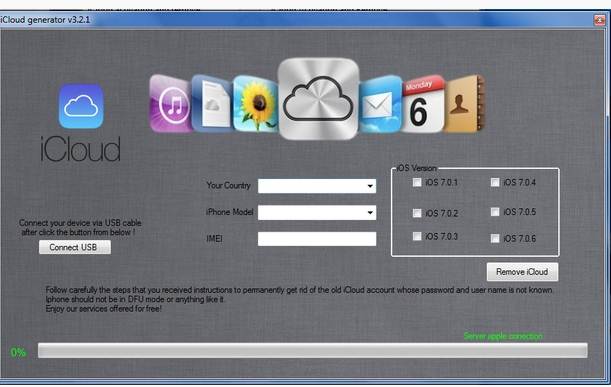
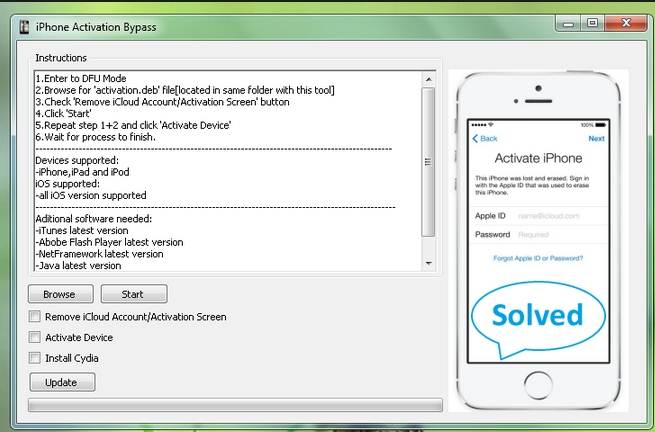
If you are looking for the right tool to bypass iCloud activation or even remove iCloud account you have come to the right place. Below are the top 8 iCloud bypass tools. These iCloud removal tools work very well to help you bypass iCloud. Let’s look at each one individually.

Part 1: Official iPhone Unlock

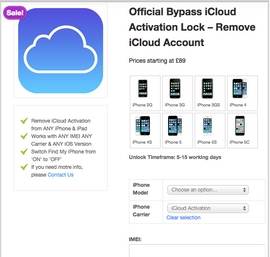
Official iPhone Unlock is more of a service than a tool but it works much the same way as the tools we have already seen. The iCloud Activation and lock removal service offered here is one of the best in the business and since it is a service there is very little chance of something going wrong.

unlock iCloud Activation Lock
Pros
  • • It is a professional service that is run by professionals so you won’t have to worry about how to use any software
  • • It is easy and efficient
  • • The service has a great reputation among those who have used it before
Cons
  • • You will have to pay for the service. The prices are from $19.95 and the amount you pay depends on your device.
Supported Devices
  • • All iPhone models, all iPad models, all iPod touch models
Supported iOS
  • • iOS 7, iOS 7.1, iOS 8, iOS 9, iOS 10


You can do all steps through the link: Official iPhone Unlock

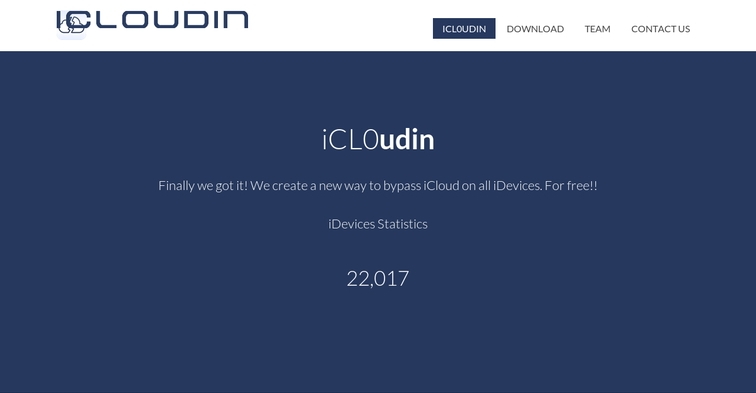
Part 2: iCloud Bypass Tool - iCloudin


Top 8 iCloud Bypass Tools
This is another iCloud bypass tool that will help you bypass iCloud rather easily. It works on all Apple Devices. It is very easy to use and 100% completely free. Those who have used this tool will attest to its efficiency. You can also get easy to follow tutorials on how to use it on the website.
Pros
  • • it is completely free to use
  • • It is very easy to use
  • • The tutorials help you get started and walk you through the entire process
  • • It works on most iOS devices
Cons
  • • The tool’s website is a little bit cluttered so you may experience a few problems finding what you are looking for.
  • • It is yet to be rated by those who have used it so there is no clear reputation rating for it.
Supported Devices
  • • iPhone 6s Plus, iPhone 6s, iPhone 6 Plus, iPhone 6, iPhone 5S , iPhone 5C, iPhone 5, iPhone 4S, iPhone 4, iPad Air, iPad Mini, iPad 4/3, iPad 2
Supported iOS versions
  • • iOS 9.0, iOS 8.1, iOS 8.0.2/1, iOS 8, iOS 7.1.1 , iOS 7.1, iOS 7.0.6, iOS 7.0.5

dr.fone - Backup & Restore (iOS)

Backup & Restore iOS Data Turns Flexible
  • One click to backup the whole iOS device to your computer.
  • Allow to preview and restore any item from the backup to a device.
  • Export what you want from the backup to your computer.
  • No data loss on devices during the restore.
  • Fully Compatible with the latest iOS 11.
Available on: Windows Mac
4 478 395 people have downloaded it

Part 3: Open my iCloud Easy Unlock Tool


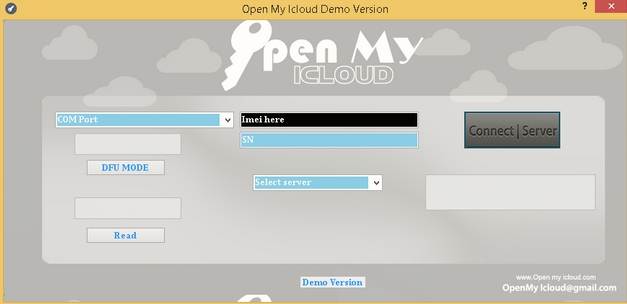
Open my iCloud Easy Unlock Tool
Open mu iCloud Easy unlock tool is another widely available and widely used tool to help you unlock or bypass your iCloud. It is easy to use and very fast as well. It comes with a tutorial to help you figure it out and use it effectively.
Pros
  • • It allows you to unlock or bypass your iCloud in under 10 minutes
  • • It works with all iOS devices and all iOS
  • • Allows you to use your phone’s IMEI code to unlock your iPhone
Cons
  • • It only comes with a Windows download
  • • iPhone 6S Plus, iPhone 6S, iPhone 6 Plus, iPhone 6, iPhone 5S , iPhone 5C, iPhone 5, iPhone 4S, iPhone 4, iPad Air, iPad Mini, iPad 4/3, iPad 2
Supported iOS versions
  • • iOS 9.0, iOS 8.1, iOS 8.0.2/1, iOS 8, iOS 7.1.1 , iOS 7.1, iOS 7.0.6, iOS 7.0.5

Part 4: Doulci iCloud Unlocking Tool

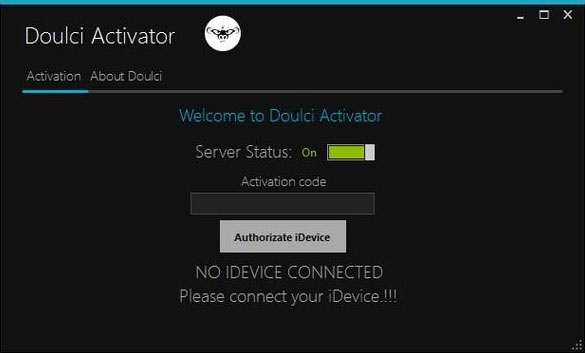
Doulci iCloud Unlocking Tool
This tool is one of the most efficient. It is easy to use and works on all iOS device including the iPod Touch. It is not an UI tool and will therefore allow you to run your own iCloud bypass server.
Pros
  • • It is easy to use
  • • It works on all iOS devices and with all iOS
  • • It is free
  • • The Tool’s website has incredible support with tutorials you can use
Cons
  • • You have to complete a survey to be allowed to download the tool
Supported Devices
  • • All iPhone models, all iPad models, all iPod touch models
Supported iOS
  • • iOS 7, iOS 7.1, iOS 8, iOS 9

Part 5: iCloud Bypass Tool

iCloud Bypass Tool
iCloud Activation Lock Bypass is one of the most used iCloud bypass tools in the market. It can be useful when you are looking to bypass iCloud activation, remove an iCloud account and even bypass the iCloud lock.
Pros
  • • It is very functional and used for more than just one purpose
  • • Most people who have used are quite satisfied with this tool
  • • It works with almost all iOS devices
Cons
  • • There have been a few complaints about the download speed
  • • Despite the fact that most people seem pleased with this app, it has a relatively low rating of just 3.5 stars
Supported Devices
  • • iPhone 6S Plus, iPhone 6S, iPhone 6 Plus, iPhone 6, iPhone 5S , iPhone 5C, iPhone 5, iPhone 4S, iPhone 4, iPad Air, iPad Mini, iPad 4/3, iPad 2
Supported iOS versions
  • • iOS 9.0, iOS 8.1, iOS 8.0.2/1, iOS 8, iOS 7.1.1 , iOS 7.1, iOS 7.0.6, iOS 7.0.5

Part 6: Bypass iCloud Activation Tool

This tool connects directly to Apple servers to activate iCloud. It is also a very easy to use ad one of the ones gaining popularity steadily lately.
Pros
  • • It is easy to download and use
  • • The tool’s website provides round the clock support for any issues you may have
Cons
  • • It is slightly more complicated to use than the others we have seen above
Top 8 iCloud Bypass Tools

Part 7: Remove iCloud Activation Lock Tool

This tool allows you to be able to bypass iCloud very easily. The Tool’s website also offers you valuable information on how to use the device just to make it easy. It is also 100% free.
Pros
  • • It is completely free
  • • It is easy to download and use
  • • The developers give you great support and information
Cons
  • • It doesn’t have a very high rating among users
Supported Devices
  • • All iPhone models, all iPad models, all iPod touch models
Supported iOS
  • • iOS 7, iOS 7.1, iOS 8
  • • iOS 8, iOS 9
Remove iCloud Activation Lock Tool

dr.fone - Recover (iOS)(Recover Data from iCloud Backup)

World's 1st iPhone and iPad data recovery software.
  • Highest recovery rate in the industry.
  • Recover photos, videos, contacts, messages, notes, call logs, and more.
  • Compatible with latest iOS 11. and Mac 10.13
Available on: Windows Mac
3 561 518 people have downloaded it

Part 8: iCloud Bypass Tool - GadgetWide

iCloud Bypass Tool - GadgetWide

This one works in much the same way as the other ones we have seen above although it is credited with being one of the top tools to bypass iCloud activation. It is easy to use although GadgetWide does offer you support and tutorials should you get stuck on any issue.
Pros
  • • One of the most highly rated tools in the market
  • • It is free to download and use
  • • Highly effective and easy to use
Cons
  • • You have to download software to your computer before you can use this tool
Supported Devices
  • • All iPhone models, all iPad models, all iPod touch models
Supported iOS
  • • iOS 7, iOS 7.1, iOS 8, iOS 9


sábado, 25 de mayo de 2019

0

jablko skoky 6%, končí obchodování plachý 1 bilion dolarů na trhu

jablko skoky 6%, končí obchodování plachý 1 bilion dolarů na trhu


    Akcie uzavřely na 201,50 dolarů, těsně pod intraday vysoké $ 201,76.

    Společnost oznámila výsledky za fiskální třetí čtvrtletí, které překonaly zisk na akcii a výnosy z rostoucího segmentu softwaru a služeb.


Akcie společnosti Apple vzrostly ve středu o téměř 6 procent po silné zprávě o fiskálním třetím čtvrtletí, ale skončily obchodování s placením vysoce očekávané tržní hodnoty 1 bilionu dolarů.


Akcie uzavřely na 201,50 dolarů, těsně pod intraday vysoké $ 201,76. Akcionáři dříve hledali cenu 203,45 dolarů, aby společnost Apple učinila první veřejně obchodovatelnou americkou společnost v hodnotě 1 bilionu dolarů - ačkoli technický gigant oznámil, že se ve středu změnila hodnota nesplacených akcií, která posunula hranici na 207,05 dolarů.


Výrobce iPhonu poněkud vynechal prognózy Wall Street pro prodej vlajkové lodi, ale překonal odhady průměrné prodejní ceny. To také porazilo zisk na akcii a příjmy z rostoucího segmentu softwaru a služeb.


Wall Street byl ve zprávě z velké části býčí, což mnozí viděli, jak Apple zůstává v kursu. Analytici v Morgan Stanley a RBC Capital oba poznamenali, že Apple je stále na cestě k bilionu dolarů.


"Příběh společnosti Apple se posouvá směrem k jejich schopnosti udržet růst tržeb v polovině jediného čísla, a to navzdory plochým jednotkám zařízení iPhone a růstu cen EPS z nízkých až středních podniků prostřednictvím zpětného odkupu," napsali analytici RBC v poznámce. "Hit Snooze na 90 dní. Cesta k bilionům neporušených."


Co se týče středu, Apple získal v roce 2018 19% a za posledních 12 měsíců 34%.


viernes, 27 de julio de 2018

1

4 Ways to Unlock iCloud Locked all iPhone

4 Ways to Unlock iCloud Locked all iPhone

You bought a second hand iPhone for less than half the market value, and you were really happy about your purchase. But then you try to operate it and you are asked for an Apple ID and password.
Can you identify with the above given situation? It doesn't have to be exactly like that, maybe you were given an iPhone as a gift by someone, or maybe you just accidentally got your iPhone iCloud locked. If you are using an iCloud locked iPhone, your primary concern should be how to unlock iCloud locked iPhone. You should be careful about the techniques you use to unlock iCloud locked iPhone, there are a lot of companies and softwares out there that promise results but don’t deliver.
In this article, we’ll discuss the different safe iCloud removal methods by which to unlock iCloud locked iPhone. So read on if you have an iCloud locked iPhone with you!


Part 1: Basic information about iCloud lock

What does iCloud lock mean?

Part of the normal process of setting up a new iPhone is to register the phone to an Apple ID. Each phone has a unique number, an IMEI. Also, to fully use the services offered by Apple each user needs to have an Apple ID, that is an iTunes account. When setting up a new phone, you should enable ‘Find My iPhone’. When you do that the unique details are logged to the Apple account and the phone is referred to as being iCloud locked. Your account details are linked to the iPhone and stored on Apple’s servers, they are therefore iCloud locked. If you do not know the details of the account, the email and password used to originally register the new phone, it is a problem, and you may find it useful to know how to bypass iCloud activation lock.

What does this mean for you?

If you have an iCloud locked iPhone, which you do not know the account details for, you can still use it. There are a lot of websites that will tell you that you cannot use it at all but you can still use it as long as the phone isn’t passcode protected. However, you cannot turn off Find My iPhone on the device, you cannot erase the device, and you cannot reactivate the phone to set it up with your details. Most significantly, if the phone is connected to the internet, it is traceable, and the person whose account it is registered to can, at any time, wipe the phone clean and lock you out of it in any way at all. The iPhone really is not much use then, unless you can find a way to unlock iCloud activation.
Now that you know everything you need to know about an iCloud locked iPhone, read on to find out how to unlock iCloud locked iPhone.


Part 2: How to unlock iCloud locked iPhone (Quick Solution)

Below you’ll find the quickest possible solution to bypass iCloud activation. So read on to find out how to unlock iCloud locked iPhone using the quick method:
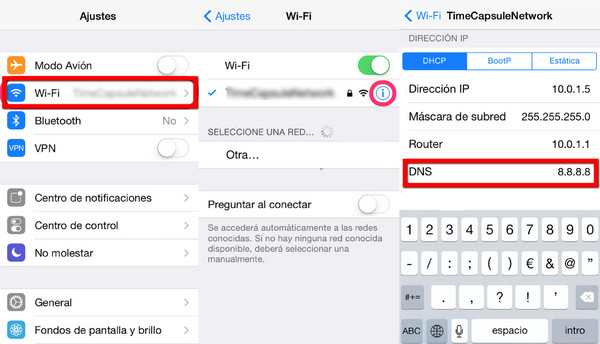
Step 1: Go to Settings > Wi-Fi. Click on the ‘i’ next to the WiFi network you want to connect to.
Step 2: Remove the DNS settings and enter a new one according to your location:
  • • USA/North America: 104.154.51.7
  • • Europe: 104.155.28.90
  • • Asia: 104.155.220.58
  • • Other areas: 78.109.17.60
Step 3: Tap ‘Back’, and then go to ‘Activation Help.’
unlock iCloud locked iPhone
Once the bypass is complete, you’ll get a message saying "You have successfully connected to my Server.” Now you have successfully been able to unlock iCloud locked iPhone. However, you should know that while this is a quick fix solution, it isn’t a permanent one. If you want a permanent means by which to unlock iCloud locked iPhone, read the next part.
You May Also like:
  1. Top Free iPhone Data Recovery Software for Windows and Mac
  2. 3 Ways Recover Deleted Text Messages from iPhone
  3. Forgot Your Apple ID Password? Here's What to Do >>
  4. Remove iCloud Account from iPhone/iPad and Computers
  5. Reset iPhone Without Apple ID


Part 3: How to unlock iCloud locked iPhone (Permanent Solution)

Step 1: Go to Menu > Applications > Crash. Your iPhone will restart now.
Step 2: Select the language and country. Now choose the WiFi settings.
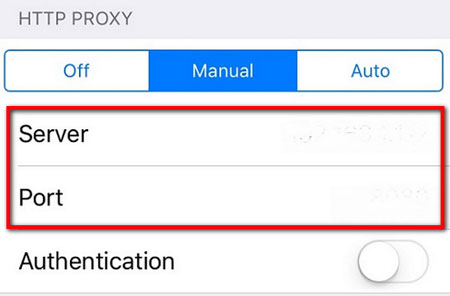
Step 3: Select the ‘i’ option next to the relevant WiFi network. Scroll down and tap on the Menu under "HTTP PROXY”.
Step 4: In the Server, list out 30 emoji icons.
Step 5: In the Port Zone, list out 15-30 random characters.
unlock iCloud locked iPhone 7 6
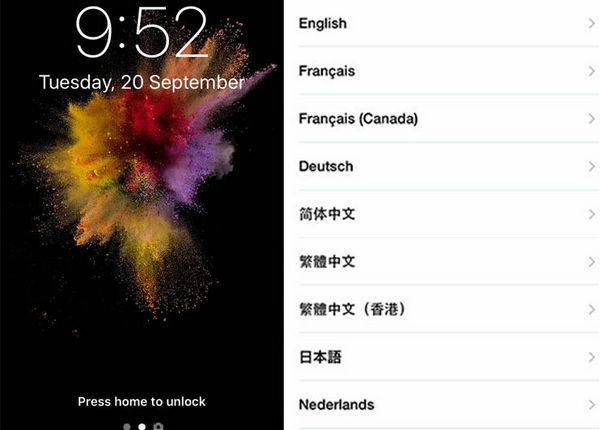
Step 6: You’ll repeatedly be met with the language and Unlock screen. Repeatedly slide the Unlock screen and tap the language options until you enter the Home screen.
unlock iCloud locked iPhone permanently
After you’ve been able to unlock iCloud locked iPhone, you can go back to using iPhone nor-mally. However, you should know that while this is a permanent solution, it is far from ideal. This is because every time you use apps like Face Time, or Phone, you’ll have to perform the iCloud activation unlock yet again.


Part 4: How to bypass iCloud locked iPhone online (Simple & Fast Solution)

A simple, fast, hassle-free, and permanent means by which to unlock iCloud locked iPhone is to use OfficialiPhoneUnlock, a simple and elegant solution to the iCloud locked iPhone problem. Whereas the first method mentioned earlier is only temporary, and the second option restricts proper functioning of the iPhone, OfficialiPhoneUnlock is a quick method of unlock, which is also permanent and does no damage to the iPhone!

Features:

  1. Permanently iCloud unlock iPhone without jailbreaking.
  2. Instant Carrier checking so that you don’t purchase the wrong unlock solution.
  3. iCloud unlock iPhone regardless of bootloader, baseband and firmware version up to the latest iOS and beyond. Basically, they can unlock any and all iPhones out there!

Which iPhone models can be unlocked?

OfficialiPhoneUnlock can unlock iPhone 7, 6S+, 6S, SE, 6+, 6, 5, 5S, 5C, 4S, 4, 3GS, 3G on iOS 10, iOS 9, iOS 8, iOS 7, iOS 6, iOS 5 and iOS 4 on all modem firmwares.

How to unlock iCloud locked iPhone using OfficialiPhoneUnlock:

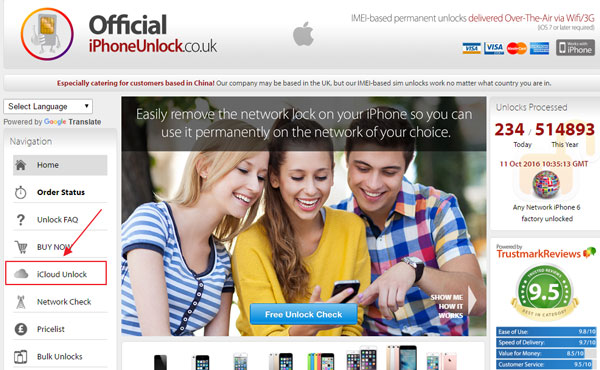
Go to the OfficialiPhoneUnlock website, and select "iCloud Unlock”.
unlock iCloud locked iPhone 7
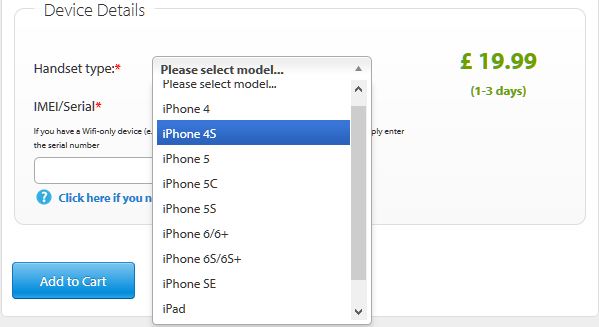
Step 2: Under the ‘Device Details’ tab enter all your details and select the iPhone model. Then ‘Add to Cart.’
unlock iCloud locked iPhone 7
Step 3: In the next page you’ll be asked for you contact details. Enter an active Email address wherein you can receive a notification once the unlock is done.
Step 4: In the next page you’ll have to choose your payment method.
Step 5: After you make the payment, you’ll receive a confirmation email.
Step 6: Wait till you receive an email stating that your iPhone has been unlocked. Now you’ve successfully unlocked iCloud locked iPhone!
This option is pretty ideal in every conceivable way, however you have to be willing to shell out a nominal amount in order to iCloud unlock iPhone. However, that is a small price to pay con-sidering the fact that you get an unlocked iPhone in return!


Part 5: How to unlock iCloud locked iPhone (Free Solution)

If you’re the original user of the iPhone, and you think it’s unfair to shell out extra money to un-lock an iPhone that should already be unlocked, then you can visit the Apple store. You may have forgotten your iCloud details which include your Apple ID or your password. To get your details back, you can visit Apple store and follow the steps to retrieve your details. If you bought an iPhone from a seller, endeavor to ask them if it’s a second-hand iPhone and get the right de-tails from the user.
This might seem like an easy solution, however it is actually quite difficult and time consuming. Apple is extremely difficult about its security, as such you’ll have to be the original owner of the iPhone and you’ll need to have all your ownership details if you want to be able to carry out this method. You can try to go about this method, but chances are strong that you’ll give up soon, in which case you should revisit some of the methods mentioned earlier.
As you can see, there are really a lot of options with which to unlock iCloud locked iPhone. There is a quick method, which is temporary. There is a permanent method, which harms func-tionality. There is a simple and fast solution using OfficialiPhoneUnlock, however for this you have to spend a nominal amount for the unlock. Finally, there’s also the free method, but that is extremely complicated.
You can feel free to choose the method which is most suitable for you, but my personal recom-mendation is that you use OfficialiPhoneUnlock, because in that case a third-party takes over the unlock process and all you have to do is wait a while. However, whatever you choose, do let us know down in the comments section. We’d love to hear from you!


0

New iPhone Leak reveals apple's Nasty surprise

Apple AAPL +0.13%’s best ever iPhone is coming soon. But the harsh reality for Apple is it may not come soon enough and in significant enough quantities to avert a very nasty surprise…
‘Great Secret Features’ and ‘Nasty Surprises’ are my regular columns investigating the best features / biggest problems hidden behind the headlines.
Apple


According to Reuters, which also cites China's influential Economic Daily News, Apple has had to take the unprecedented decision to slash production of the iPhone 8 and iPhone 8 Plus by “nearly 50%” due to lack of demand.
A source for the Economic Daily News says this is the first time in iPhone history that production has had to be cut so soon after launch (September 22nd). In fact Apple is more used to the opposite: queues around the block and such high demand that Apple regularly says its massive sales figures are impacted simply because it cannot build enough.
The news comes following murmurs that sales of the iPhone 8 and iPhone 8 Plus have been modest but, if both Reuters and the Economic Daily News are correct, it appears Apple’s 2014-based designs are simply past their sell by date. We will learn more when Apple reports its Q4 earnings on November 2nd, though it is worth pointing out these figures are not broken down by model and new iPhones will only represent a few weeks of the overall quarter.
Apple


Apple iPhone iPhone X činí z iPhone 8 a iPhone 8 Plus také výbavu, ale za cenu

A přesto je důležité si uvědomit, pomalý prodej iPhone 8 a iPhone 8 Plus nejsou všechny doom a šero.

Místo toho spekulace je rozšířená že tato snížená poptávka závisí na zákaznících zpoždění jejich upgrady tak oni mohou koupit radikálně přepracovaný a významně vyšší ceny iPhone X místo toho. Ano, iPhone X akcie budou velmi omezené zpočátku, ale jak se dodavatelský řetězec týká snadnosti v roce 2018, mnoho z nich předpovídá, že Apple opožděně zlomí záznamy.

Osobně řečeno, nemyslím si, že chudé iPhone 8 a iPhone 8 prodeje mohou být zcela připnul na iPhone X (i s jeho cool party triky), protože upřímně řečeno, ne každý si může dovolit zaplatit až $ 1,149 (před zdaněním) pro smartphone . Myslím, že Apple držel na iPhone 6 a iPhone 6 Plus-původních návrhů rok příliš dlouho, ale nakonec odrazu v roce 2018 by měl kompenzovat dopad má na prodej v roce 2017.

Kromě iPhone X je jen začátek. Na základě nejnovějších zpráv bude Apple stavět na svých změnách s novými modely, které zavádí v roce 2018…


Social Time

Google Plus
Follow Us
Pinterest
Follow Us

Subscribe to our newsletter

(Get fresh updates in your inbox. Unsubscribe at anytime)